Do you need help applying for Chain authorization?
Below is the step-by-step plan to request a Chain authorization if you are an existing user. Are you unable to find it?
Then please here contact the Consultancy department. Our consultants are ready to provide you with expert, tailored advice.
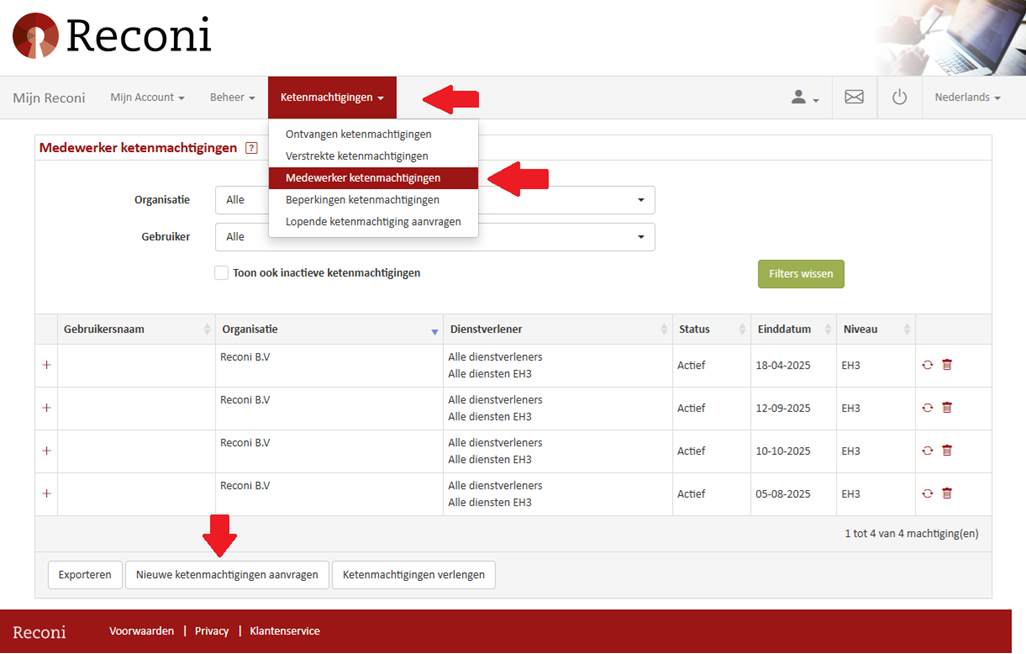
Step 2: Chain authorizations - Employee Chain authorizations
- Under the Chain authorizations section, choose [Employee Chain authorizations].
- Then click the [Request New Chain authorizations ] button.
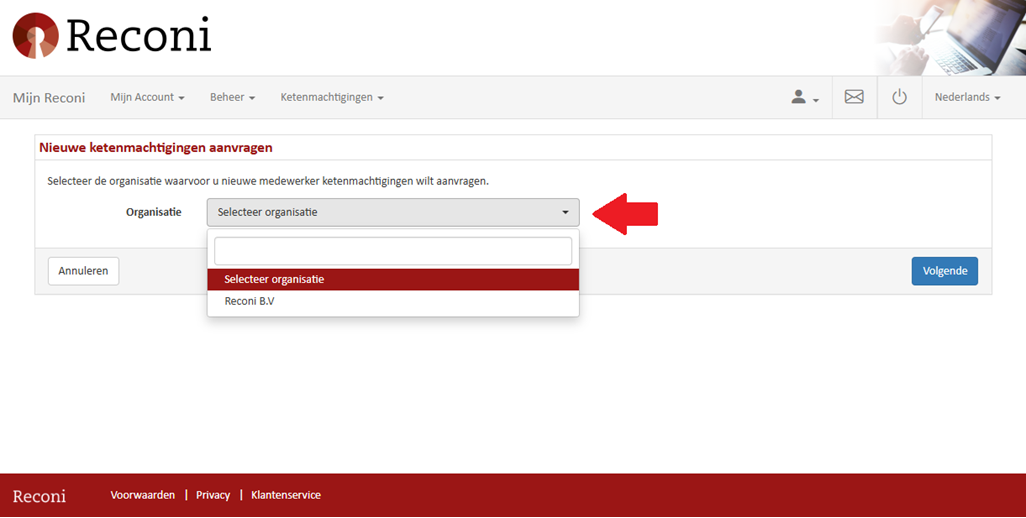
Step 3: Apply for new Chain authorizations
3. Select the organization acting as intermediary.
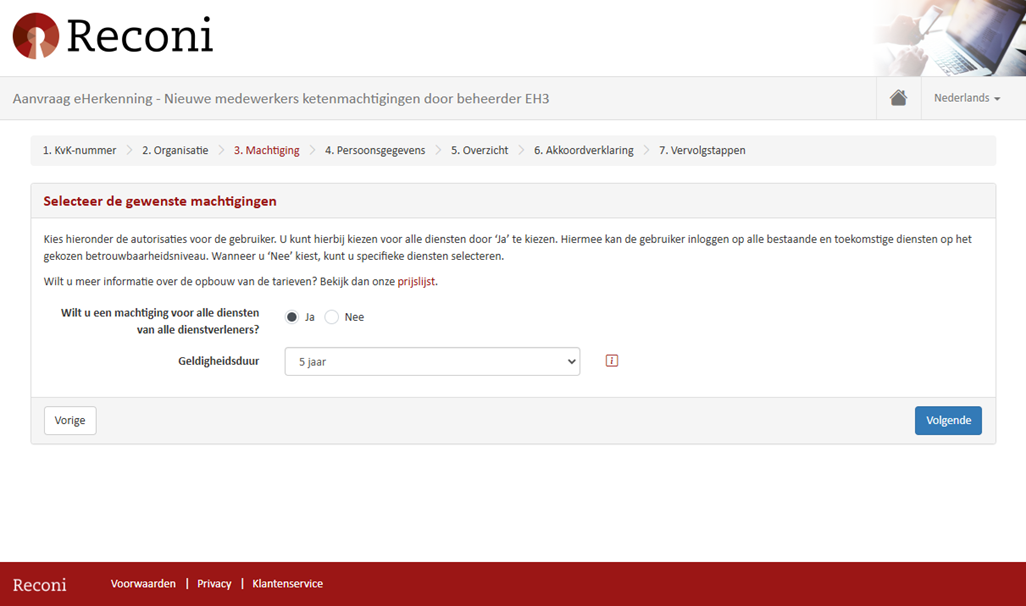
Step 4: The desired permissions
4.Select the services for which the user should be authorized.
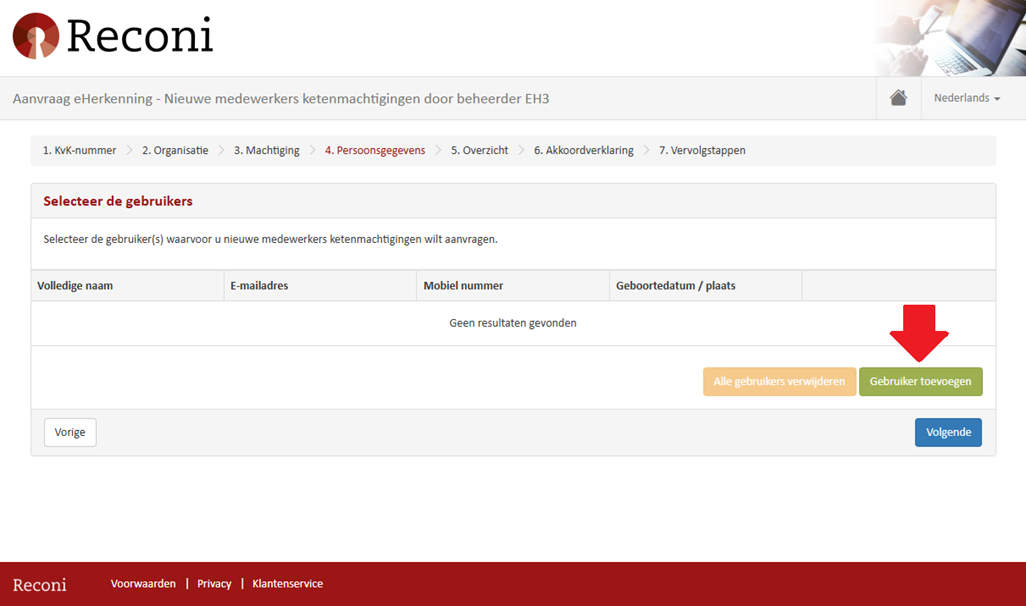
Step 5: Select the users
5.1 Select the user(s) where the Chain authorization is to be added.
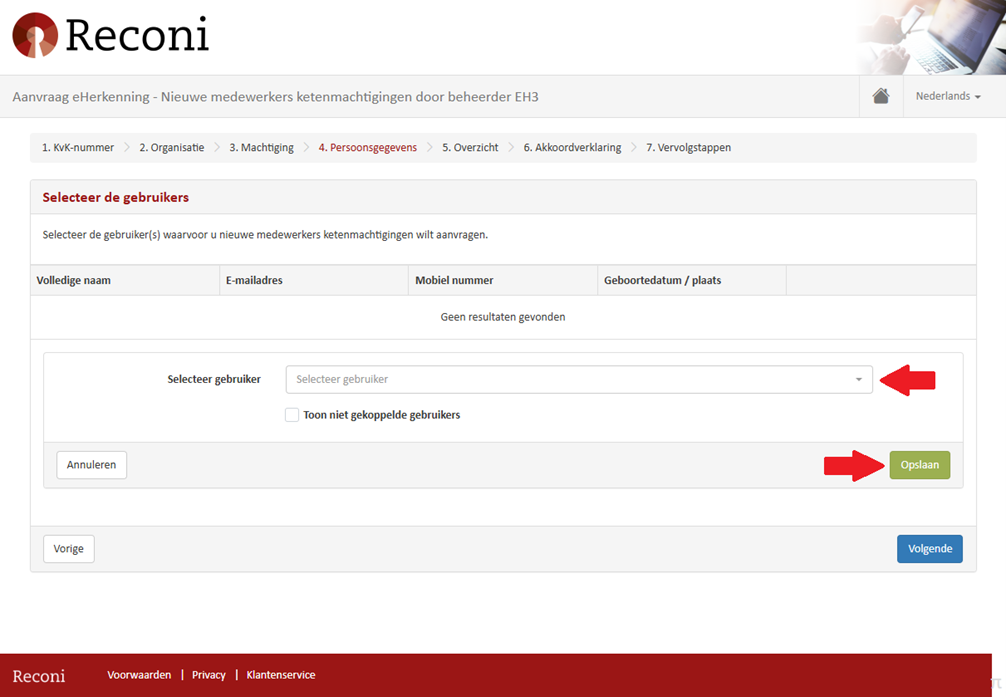
Step 5: Select the users
5.2 Select the user and click the green [Save] button.
Step 6: Check the services
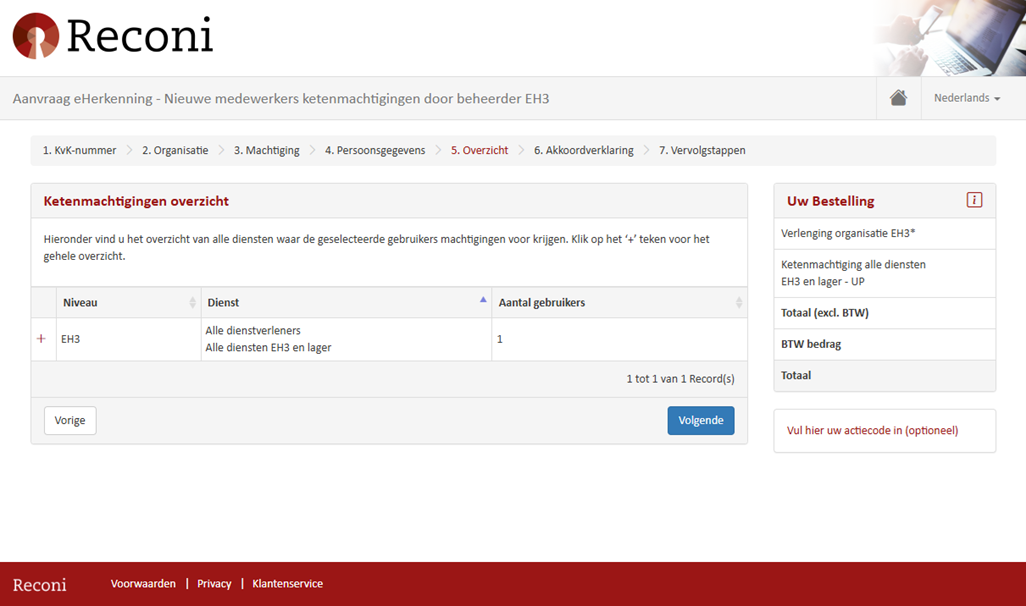
6. Check the list of services.
Step 7: Check the data entered
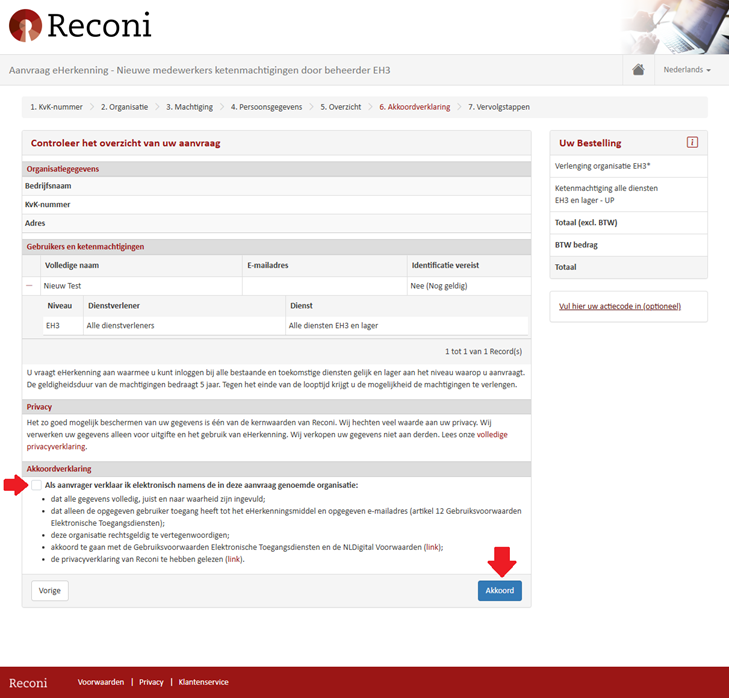
7. Select the agreement statement and press: [Agree].